Central Administration Console · Run & govern
Run AI agents the way you run any production system.
The Central Administration Console is where IT and data teams operate AgenticObjects’ agentic analytics: which services are up, which agents run when, what each run did and what it cost, who may see what, and an audit log that only grows. It runs on your server. Business readers never see it.
What a CIO asks
Six questions, each answered by a mechanism
Where does it run, and what leaves?
On your server, in containers. The gateways to your databases are read-only and secrets are created on your machine. A language model receives text only: no credentials, no data path, no authorization decisions.
Who can do what?
Four roles and a few named permissions, such as seeing the executed query or raising a budget. Row-level security is defined by an administrator and written by the engine into every query; a user with no binding reads nothing.
Can the cost run away?
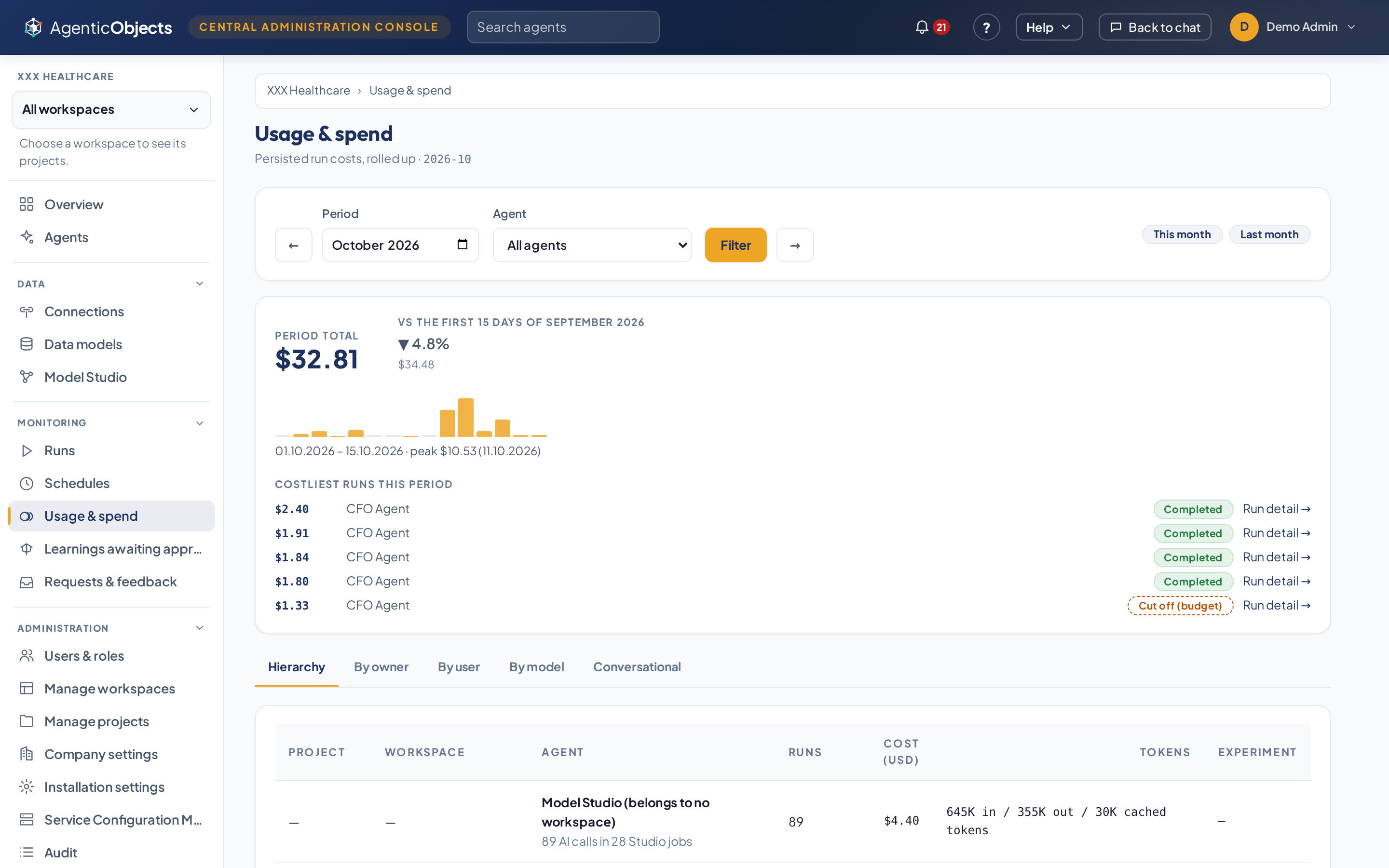
Limits descend from platform to company, workspace, project and agent, and each level can only tighten. A run’s budget is frozen before it starts and the run stops at its ceiling. Spend is shown by owner, user and model, with a monthly alert.
What did it do?
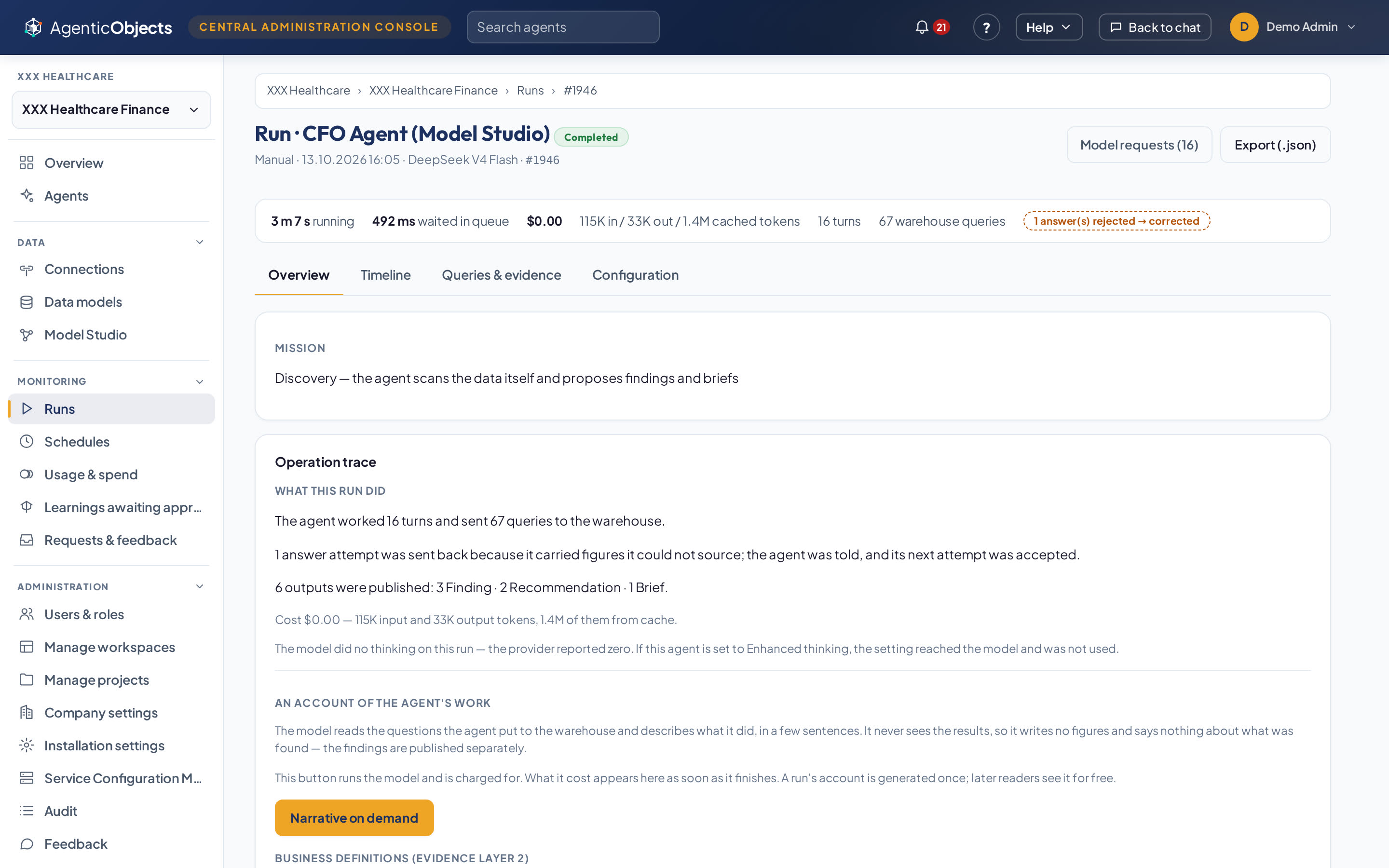
Every run keeps its account: the steps, the queries sent to the warehouse, what it published and what it cost. The audit log is append-only. Nothing is deleted; every removal is an archive.
What if an answer is wrong?
An answer carrying a figure the agent cannot source does not reach the reader. The agent is told what is missing and writes it again, and the Console lists every answer that was caught.
How is it operated?
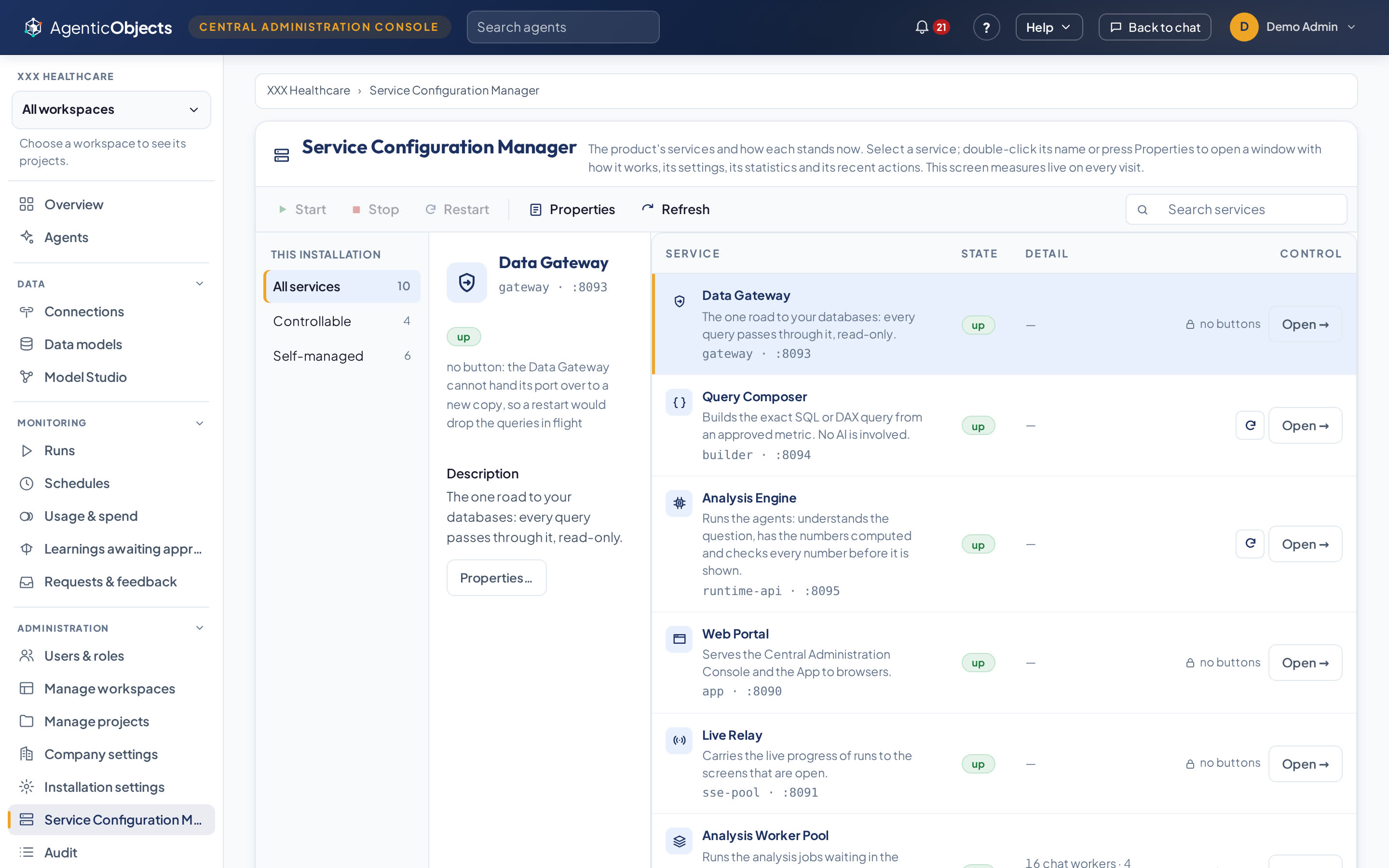
The Service Configuration Manager shows every service with its state and capacity, laid out like the Windows service manager, and writes each change to the audit log. Install, upgrade, backup and health checks are scripts.
See it working
From the overview to one run’s account
What the recording shows
The Console’s overview of what needs a person now: runs that hit a limit, review requests, items awaiting approval and the month’s budget. Then the agents grouped by project with owner, schedule and last run, and one agent’s page with its cost over seven days. One run opens on its account (16 turns, 67 warehouse queries, one answer sent back and corrected) and on its timeline of 17 steps. The recording ends on the answer review’s totals.
Deployment
On your server, in containers
Container images with install, upgrade, backup and health scripts. The update order is backup, migrate, new image, because data never rolls back. Deployment and architecture
Sign-in is by e-mail and password today; Microsoft 365 (Entra ID) sign-in is on the roadmap. Backup runs as a script, not yet from a Console screen. One company per installation.
Bring your IT team to the first call.
Talk to an engineer before the pilot starts, or read the deployment and architecture page.