Model Studio · Build
First you draw the map, so the agents can navigate.
Model Studio is where the Business Overlay is built: the business layer every AgenticObjects agent reads, on top of the model or database you already have. It holds which metrics exist and how they are computed, which breakdowns, periods and words they come with. Agents never go to the database on their own; they find their way through this map. An AI may propose. A person approves every proposal, and every deploy is a version.
See it working
The three screens where the model is made
Recorded on a running installation, on a hospital’s revenue cube. The names of the company, its people and its models are replaced with sample names, such as XXX Healthcare; everything else is the product as it runs.
What the recording shows
The live version of a hospital revenue model in the Design view. The pointer moves across the diagram’s four tables (dates, transactions, services and patients, the last marked as holding personal data), opens the transactions table’s card with its grain and description, then the card of the measure for revenue excluding VAT with its folder, tags and the DAX formula the cube evaluates. The version is live, so every field is read-only.
What the recording shows
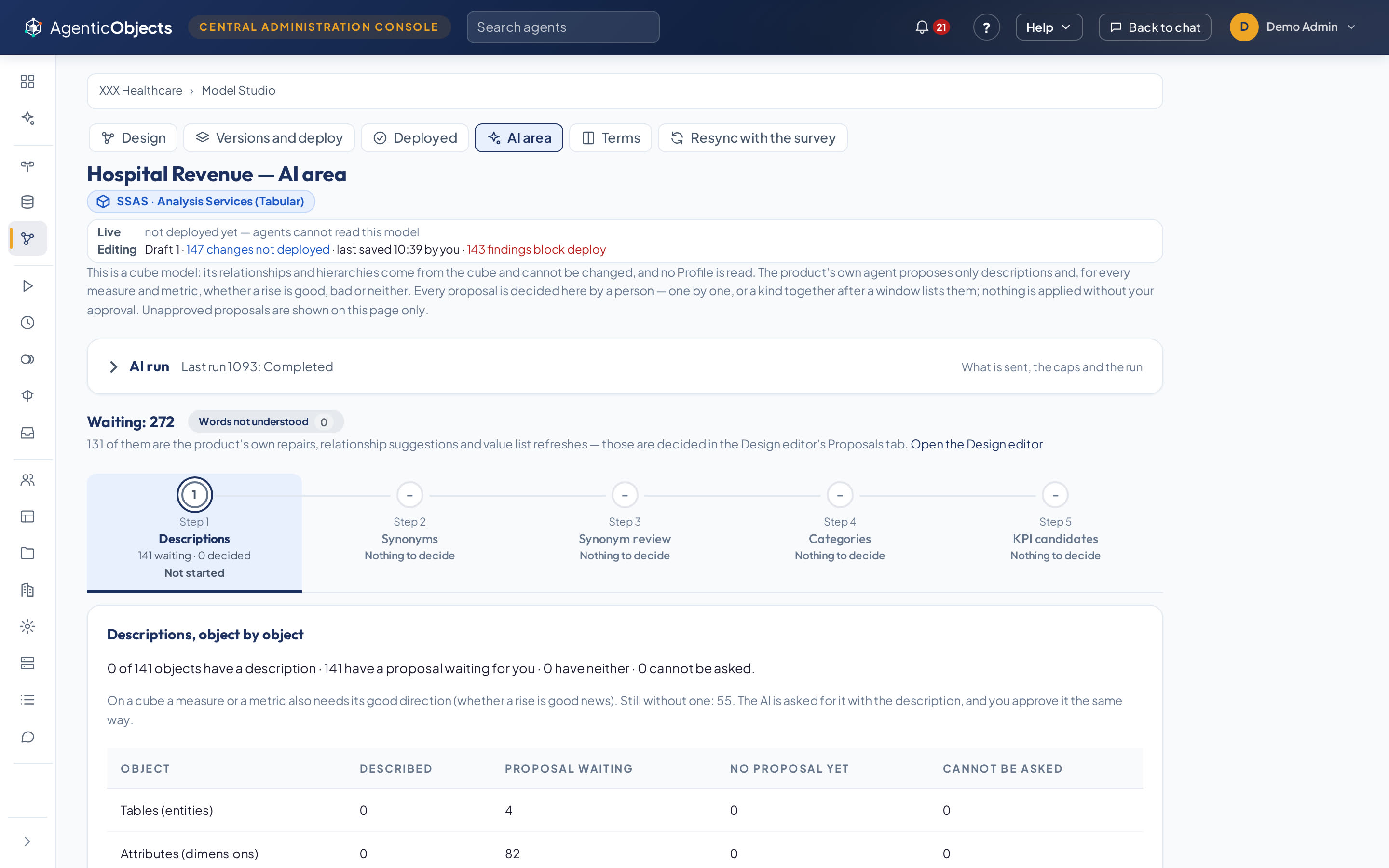
A fresh draft of the same cube model in the AI area. The five steps sit at the top: descriptions, synonyms, synonym review, categories and KPI candidates. Step 1 has 141 description proposals waiting. The list opens on the proposal for the measure of revenue from Social Security patients, with its text, formula, good direction and the reason it was proposed. “Approve and next” decides it, the count of described objects moves from 0 to 1, and the findings that block deploy fall by one.
What the recording shows
The whole model fitted to view: four tables and their joins, the object tree counting 31 dimensions, 60 measures and 4 entities, and Problems showing 0 refused and 0 warnings. The pointer opens one table, switches to the metadata table that lists every entity with its description, owner and grain, and returns to the diagram.
From source to live model
Five steps, and privacy comes before the AI
- Survey the source Read the catalogue, choose the tables, profile them: counts and ranges, never a text value. SQL Server, MariaDB / MySQL and SQL Server Analysis Services (Tabular) through read-only gateways.
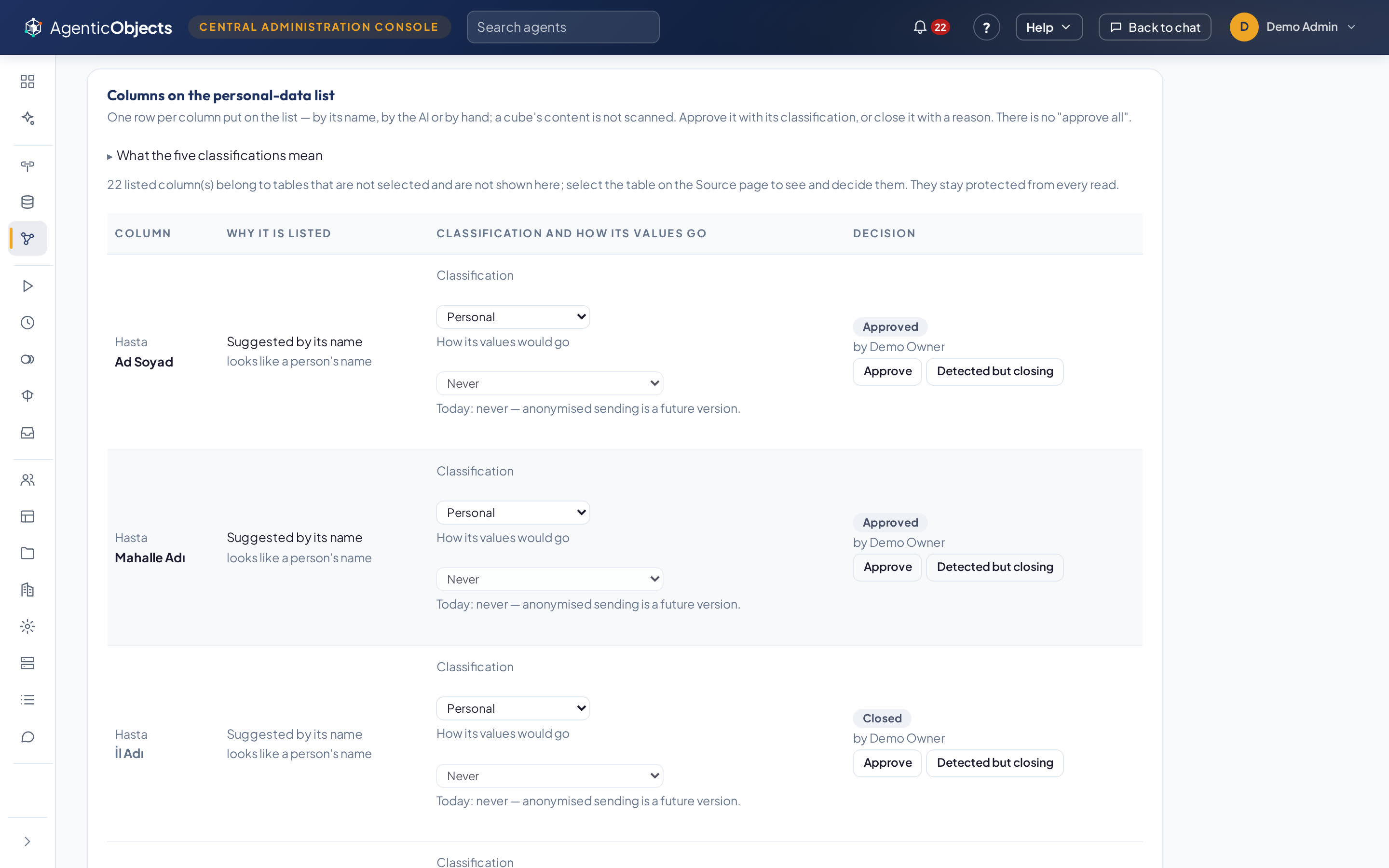
- Decide privacy first Personal-data columns are marked one by one. Until the review is complete, no column value is read and the model-building AI does not start. One page shows exactly what the AI would receive for any table you chose, without reading a row.
- Build by hand, or ask for a first draft Build from the chosen tables or an empty canvas with nothing sent to an AI, or let the model-building agent propose entities, grain, relationships and measures. What leaves the company and what it may cost is written before you press. The AI path is never required.
- Review one decision at a time “Approve and next”, “Reject and next”, each proposal with its reason and evidence beside it. “Approve all” first lists every waiting proposal and the least certain ones. Nothing is ever accepted automatically.
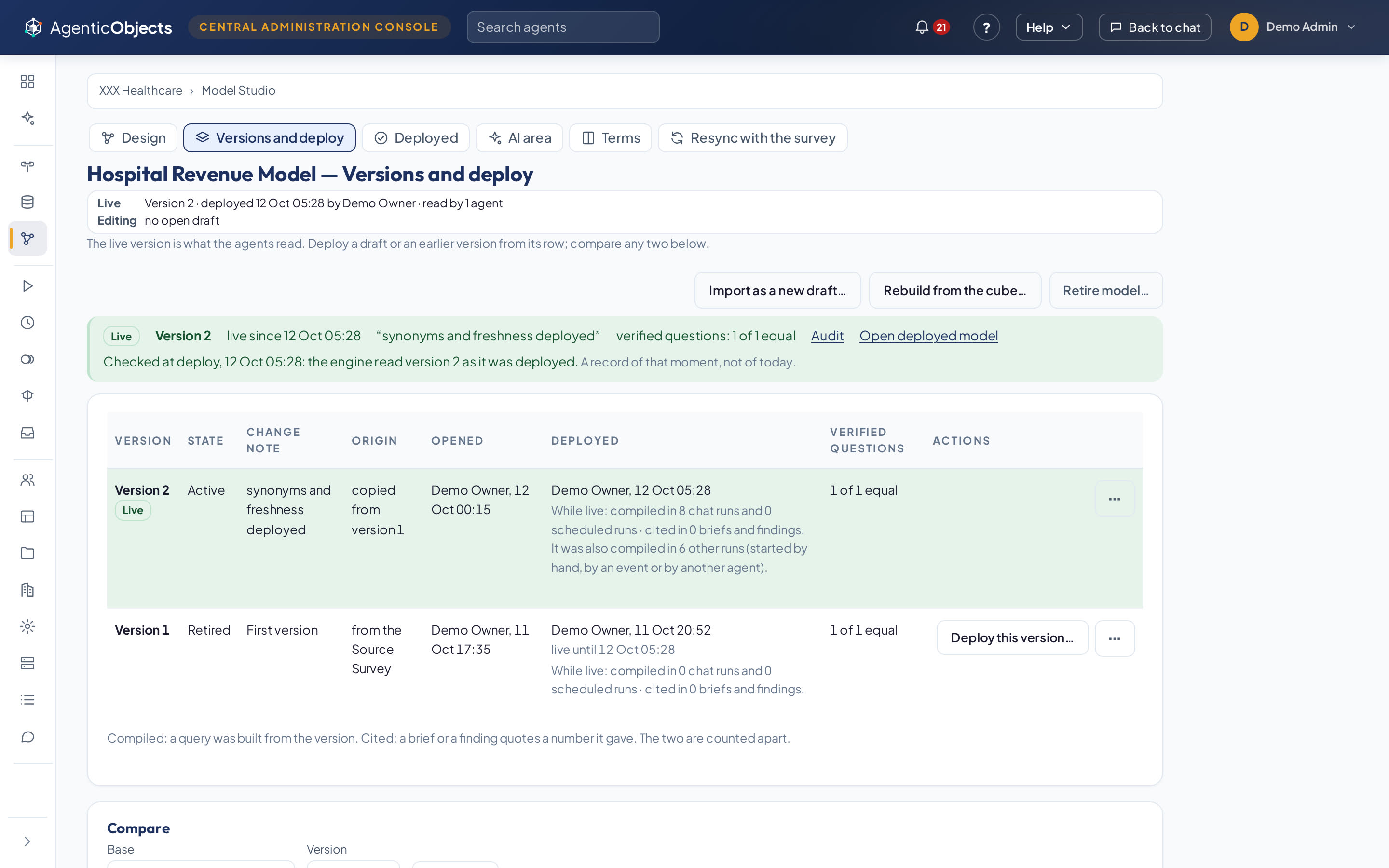
- Prove, then deploy A version’s verified questions are asked of it before it goes live, through the same calculation path the agents use. A number that drifts stops the deploy and shows both numbers. Deploying is all or nothing, and any earlier version can be made live again as a new version: history is never rewritten.
The business meaning lives in the model
What a metric means is decided here, once, not in every answer
Your words
The words people use for a metric or a value, approved per object. One word must mean one thing: a word that would lead to two measures stops the deploy until a person decides.
Folders and Subject Areas
Metrics sit in folders and carry tags. A Subject Area is a named part of the model, and an agent can be bound to it instead of the whole model.
Filters the model owns
Named conditions such as “excluding cancelled”. A mandatory one is applied by the engine to every question on its table, and the answer says so.
Time that behaves
A fiscal year that does not start in January, a 4-4-5 retail calendar, special periods. Stock on hand is read at the end of the period, not added up.
Values looked up, not guessed
A dimension with thousands of codes can be searchable, so the agent looks a value up instead of guessing its spelling. Hierarchies make “one level down” a question the engine answers.
Quality decisions on the record
An object can be flagged or closed with a reason and the evidence. Once deployed, the engine refuses a question that needs a closed object before any query is written.
Analysis cubes
A cube model stands up in minutes
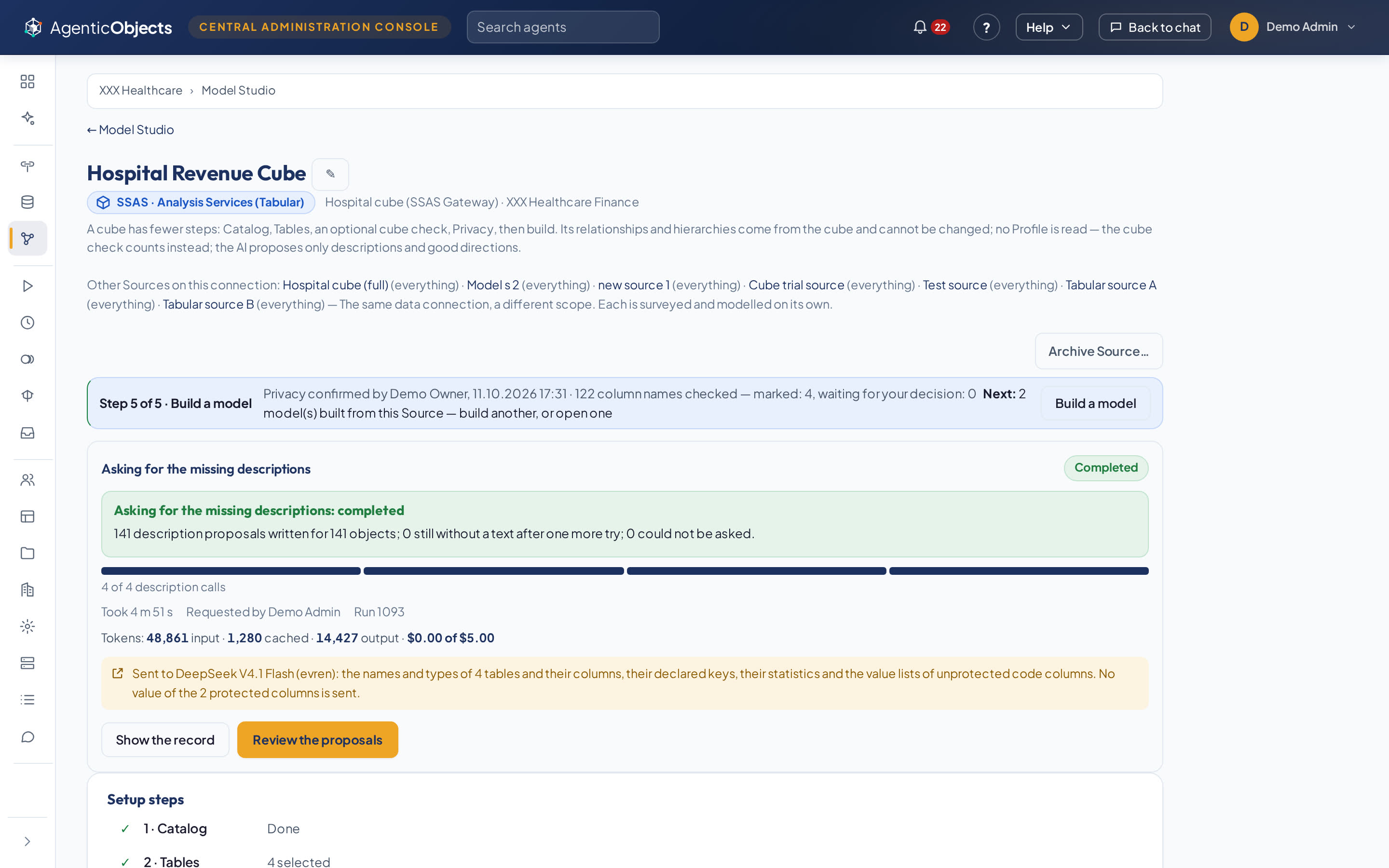
An SSAS Tabular cube already defines its tables, relationships and date hierarchies, so Model Studio shows them as the cube has them. You tick the attributes and measures that go in. The AI writes a description for every object and says whether a rise is good news or bad; a person approves each one. A new DAX measure can be tried on the cube, read-only, before anything is deployed.
Spend and stop
Every AI job says what leaves and what it costs
A progress panel shows what is being read, the tokens used and the cost against the job’s limit and the company’s monthly cap. Each AI job has its own model choice, including Turkish model services. “Stop and undo” withdraws what the job wrote, and keeps what a person already decided.
Model Studio is used by company administrators. Multidimensional (MDX) cubes and spreadsheet sources are not supported yet.
Bring the tables. We build the model with you.
In the pilot’s first week, the Business Overlay for one business domain is built in Model Studio with your people, from the tables you choose.